
Reliable Office IT Maintenance for Smooth, Secure, and Stress-Free Operations
Keep your computers, software, and devices performing at their best — without interruptions. Our Office Maintenance services ensure your entire IT environment stays updated, protected, and running efficiently every single day.
Modern businesses rely on technology. We make sure yours never slows you down. From proactive monitoring and software updates to backup protection and troubleshooting, Client Navigator keeps your systems stable so your team can stay focused on work.
About Us
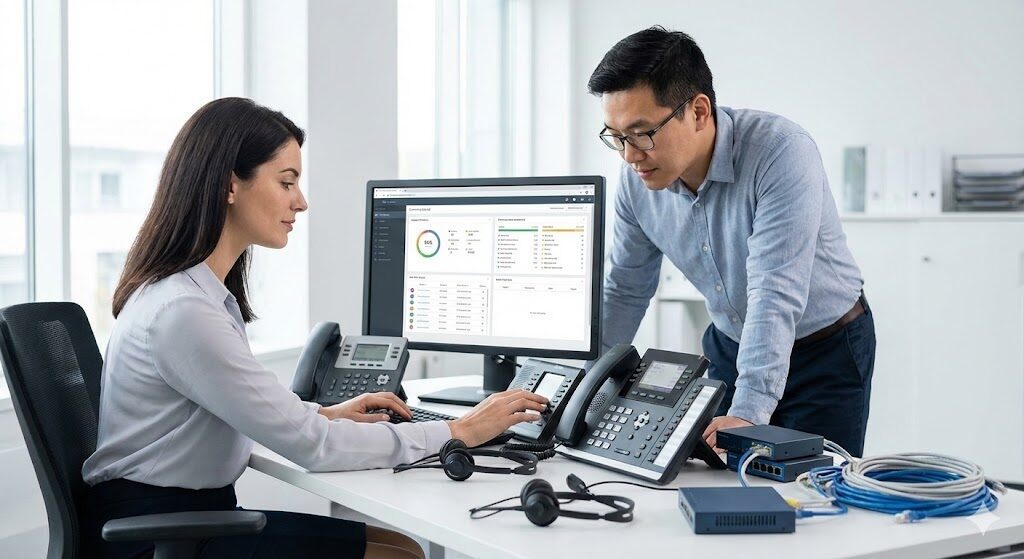
For over 15 years, Client Navigator has helped businesses keep their technology running smoothly through reliable, proactive, and expertly managed IT maintenance. Our team brings extensive experience in computer systems, software lifecycle management, hardware diagnostics, and workstation optimization — ensuring your office stays productive and protected.
We focus on preventing issues before they impact your operations. From ongoing system monitoring and scheduled updates to troubleshooting and data protection, our maintenance approach is designed to give your business a stable, secure, and efficient IT environment every day.
Maintenance Expertise
More than a decade of experience handling system health checks, software updates, hardware diagnostics, and long-term computer performance management.
Stability as You Grow
Whether you have 5 devices or 150, our maintenance solutions scale smoothly to support your company as it expands.
Tailored Care Plans
Every office has different needs. We build maintenance routines based on your systems, your workflow, and your team’s technology usage.
Quick & Reliable Support
Local to Glendale, offering responsive troubleshooting and 24/7 support options for critical IT issues or unexpected equipment failures.
services
Our Comprehensive Office IT Maintenance Services
Computer Health Monitoring & Performance Optimization
We continuously track the status of your office computers to ensure they operate smoothly every day. Our team monitors system performance, identifies issues early, removes unnecessary software, and optimizes settings to keep your devices fast, stable, and reliable. No more slow workstations or unexpected freezes disrupting your workflow.
Software Updates, Patching & Security Maintenance
Outdated software exposes your business to security risks and compatibility problems. We manage all essential updates — including operating systems, productivity apps, antivirus tools, and firmware — so your team always works with secure, stable, and fully supported systems. Every device stays protected and up to date without interrupting your work.
Backup Management & Issue Resolution Support
Accidents happen — files get deleted, drives fail, and software breaks. Our maintenance plans include scheduled data backups, restore testing, and quick-response troubleshooting for unexpected problems. Whether it’s recovering lost information or resolving a sudden system error, we make sure your office keeps running without major downtime.
Why Client Navigator Excels in Office Maintenance
When it comes to office maintenance, we stand out by providing reliable, proactive care that keeps your technology running smoothly every day:
- Proactive System Care: We monitor your computers, apply updates, and address issues early to prevent slowdowns, crashes, and unexpected technical problems.
- Reduced Risk & Downtime: Consistent maintenance helps avoid data loss, hardware failures, and costly interruptions that disrupt your business operations.
- Quick, Hassle-Free Service: Most maintenance work is performed quietly in the background or outside office hours, ensuring your team stays focused and productive.
- Long-Term Reliability Guarantee: If an issue arises due to something we maintain, we resolve it at no extra cost — your stability is our commitment.

join the success
Don’t just take our word for it

Drop us a line
Let's chat about your maintenance needs.
Visit us
1201 N. Pacific Ave Suite 204, Glendale, CA 91202
Email Us
**@***ua.com
Call Us
(424) 255-1991
FAQ
How Long Does It Take To Set Up Office Maintenance Services?
Most onboarding and initial system checks are completed in 1–2 business days. For larger offices or environments with many devices, the assessment may take slightly longer, but you’ll receive a clear timeline after our initial review.
Will Maintenance Interrupt Our Daily Work?
Our maintenance is designed to be unobtrusive. Most updates, scans, and system tasks are performed quietly in the background or during off-hours to avoid slowing down your team.
Do You Handle Both Software And Hardware Issues?
Yes — we provide full support for software troubleshooting, updates, driver management, and hardware diagnostics such as slow machines, faulty peripherals, and failing components.
Can You Help Protect Our Data From Loss Or Corruption?
Absolutely. We manage scheduled backups, verify that restore points are working, and help safeguard your files from accidental deletion or system failure.
What Happens If Something Breaks After Maintenance?
If an issue occurs related to systems we maintain, we’ll fix it at no additional cost. Unexpected hardware failures are diagnosed quickly, and we guide you through repair or replacement options.
Do You Offer Ongoing Monitoring And Alerts?
Yes — we continuously monitor system performance, disk health, security alerts, and update statuses to catch problems early before they impact productivity.
Can You Work With Our Existing Computers Or Do We Need New Devices?
We maintain your current equipment and extend its lifespan. If upgrades are needed, we provide recommendations but never force unnecessary replacements.
Do You Support Multi-Device Or Multi-Office Environments?
Yes — whether you have a single office or multiple locations, we ensure consistent maintenance routines, monitoring, and support across all devices.
How Often Do You Perform System Updates?
Critical updates are applied as soon as they are available. Routine patches, security updates, and software upgrades are scheduled regularly to keep your systems secure and stable.
How Do We Get Started?
Simply request a free maintenance assessment. We’ll review your current setup, identify issues, and create a maintenance plan tailored to your office’s needs.